
If you are a Subscription Administrator you can not only respond to stories but also add a response on behalf of another member of staff from your Subscription.
The other staff member will need to have their own log in to the site and be assigned the role of 'responder' to enable you to add a response on their behalf.
Step 1: All you need to do is find the story that you need to post the response for.
Step 2: At 'This response is from", choose Another member
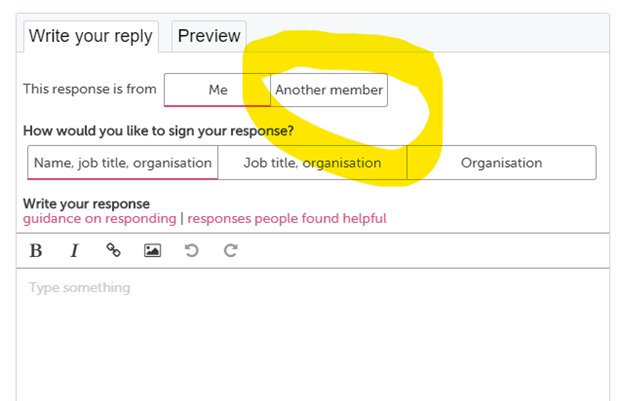
Step 3: Begin to type in the name of the member of staff that you wish to respond on behalf of and select their name from the list.
Step 4: Type in or copy and paste the response from that member of staff, tick the box to show you have consent to post a response and click "send".